
- October 17, 2026
Silo Structure in SEO: A Complete Guide to Website Architecture
Share with Friends :

Table of Contents
Here’s a scene we see all the time. Someone builds a website, writes thirty blog posts, and then wonders why Google barely notices them. The content is fine. The problem is that nothing is organized. A post on Instagram reels sits next to one on technical SEO, which sits next to a random page about email subject lines. Visitors get lost, and Google gets confused too.
That is the problem silo structure in SEO solves. At Digi Uprise, we’ve seen that most beginners obsess over what to write and never think about where it lives. So let’s talk about where it lives.
Quick answer : Your website might have great content, but without the right structure, even your best pages can get overlooked. Silo structure in SEO gives every page a purpose, connects related topics, and turns scattered content into a well-organized knowledge hub. Let’s break down how the right architecture can make your website easier to navigate and easier for search engines to understand.
What Is Silo Structure in SEO?
Walk into any kirana store or supermarket. Atta, rice and dal are in one corner, soaps and detergents in another, biscuits somewhere near the counter. You’d be annoyed to find shampoo sitting beside the tomatoes.
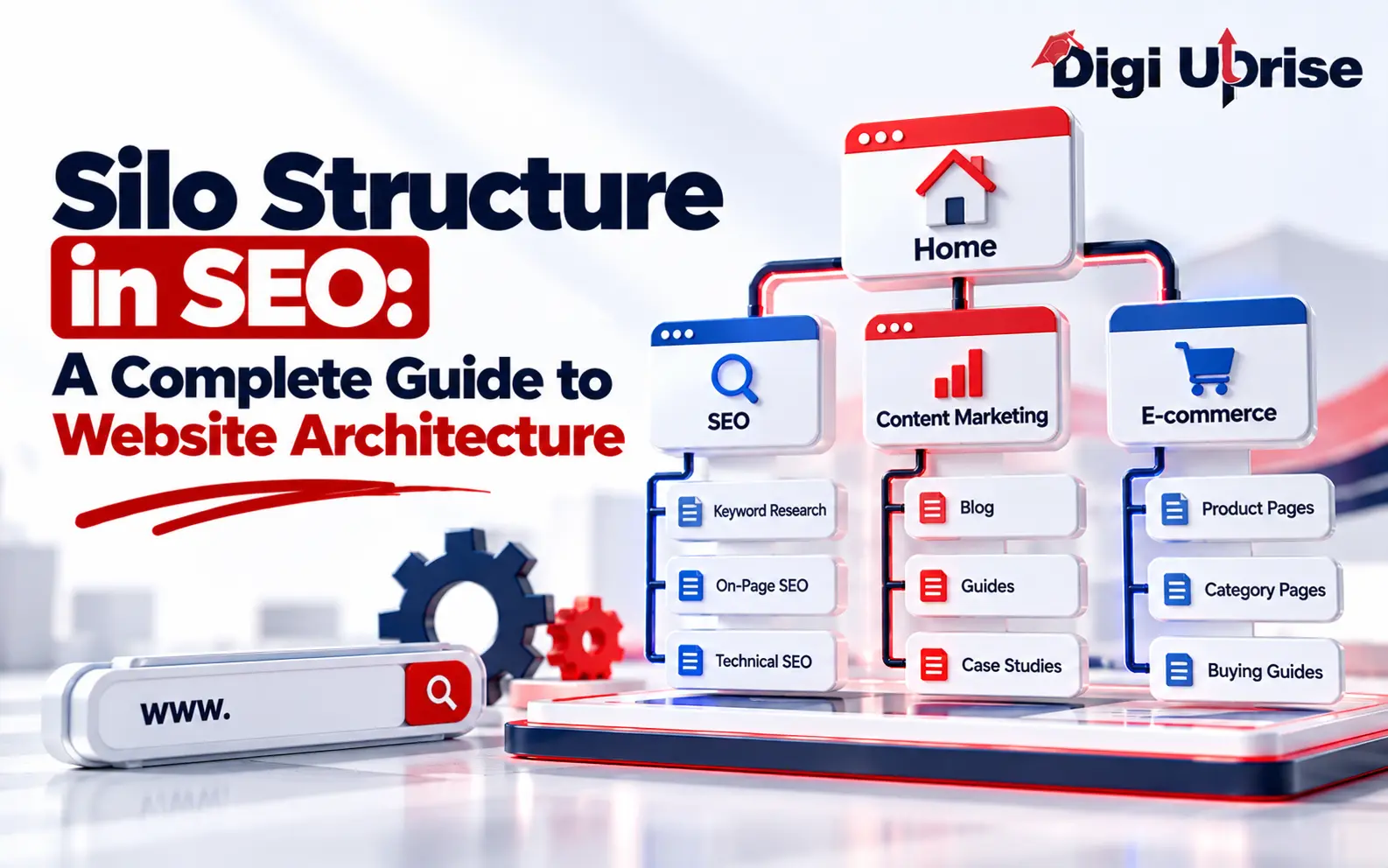
A website works best the same way. In a silo structure, you group related pages into one themed section, and that section is called a silo. Each silo has a main page at the top (we call it a pillar page) and a set of supporting pages that go deeper into smaller subtopics. The pages in a silo mostly link to each other and rarely wander off into other sections.
So a digital marketing site might have an SEO silo, a social media silo, a paid ads silo and an email silo. An article about canonical tags would generally belong in the SEO silo, where readers can find related technical SEO resources.
Why Is Website Architecture Important for SEO?
Most people think of site structure as a developer’s job, something dull you sort out later. I’d argue it’s one of the first things to get right.
Search engines discover pages by following links, so a poorly organized website can make some pages harder to find. A well-planned internal linking structure helps search engines discover related pages and understand how they connect. A well-organized group of related pages can also help search engines understand the context of your content and how different pages relate to one another. Comprehensive coverage helps readers explore a topic in greater depth, but publishing a specific number of related pages does not automatically establish authority or improve rankings. Visitors benefit too. If someone finishes reading about keyword research and the next relevant link leads to on-page SEO, they can continue exploring related information.
Physical Silos vs Virtual Silos
You can build silos in two ways, and honestly most real websites end up with a bit of both.
A physical silo lives in your URLs. Something like /seo/ as the main folder, then /seo/keyword-research/ inside it. Anyone looking at the address can read the hierarchy.
A virtual silo lives in your links and menus instead. Your URLs might be flat, but you still group pages by how you connect them. This is the realistic option for older WordPress sites with hundreds of posts, where changing every URL would be a headache and a risk.
What Are the Benefits of Silo Structure in SEO?
A well-organized silo structure makes it easier to plan content, connect related pages, and identify gaps in topic coverage. A clear hierarchy also helps visitors find relevant information and discover related resources. Although these improvements can support your SEO strategy and user experience, they do not guarantee higher rankings or lower bounce rates. Focus on useful content, relevant internal links, and a structure that meets your audience’s needs.
How to Create a Silo Structure in SEO
Start with your core topics
Write down what your business wants to be known for. Use keyword research to identify relevant search terms, understand search intent, and group related keywords into topic clusters. Keep it to a handful. Five clear silos beat twenty vague ones.
Sort your keywords
Inside each topic, separate broad terms from specific ones. Broad terms suit the top page. Specific, long tail phrases become supporting pages. If a keyword fits two silos equally well, pick one and move on.
Keep the hierarchy shallow
Keep your website hierarchy simple and intuitive. Important pages should be easy to reach through relevant navigation, category pages, breadcrumbs, and contextual internal links. The ideal click depth depends on your website’s size and structure, so prioritize accessibility and logical organization rather than a fixed number of clicks.
Put real effort into the pillar page
This page introduces the whole topic and links out to every supporting piece. It carries the most weight, so don’t rush it.
Write supporting pages that each do one job
Each supporting page should address a clear subtopic or user need. Avoid splitting content into multiple articles simply to target more keywords. Choose the format and depth that best satisfy search intent, and consolidate overlapping pages when they serve the same purpose.
Create a clear internal linking structure
Use these guidelines to keep your website organized:
- Supporting pages link to their relevant pillar page.
- Pillar pages link to their important supporting pages.
- Related pages within the same silo link to each other when relevant.
- Pages can link to relevant content in other silos whenever it helps readers.
- Use descriptive anchor text that explains what readers can expect from the destination page instead of generic phrases such as “click here.”
These are organizational guidelines, not strict rules. Link to relevant pages across different silos whenever doing so helps readers understand a related topic or complete their next task. Avoid unnecessary links, but do not restrict useful connections simply to preserve silo boundaries.
Match your menus, breadcrumbs and URLs to the structure
Breadcrumbs are underrated. They show readers and crawlers exactly where a page sits.
Silo Structure in SEO: Practical Example
Let’s make this concrete. Picture a digital marketing institute with a website that has grown over a couple of years. Instead of letting posts pile up wherever, they sort everything into three clear sections.
- SEO gets its own corner. The main page explains what SEO actually is, and from there readers can branch into keyword research, on-page fixes, technical audits, backlinks and local SEO.
- Social media is the second corner. It opens with a beginner overview, then goes deeper into Instagram growth, Facebook ad campaigns, LinkedIn for professionals and planning a month of content.
- Paid ads are the third. The main page introduces pay per click, and the pages beneath it cover search campaigns, display banners, retargeting and how to split a budget.
Now follow one visitor. She’s reading the technical SEO guide, and the links she sees lead to backlinks and on-page optimization. She never gets pulled toward Instagram tips, because they belong somewhere else. Keeping each topic in its own lane is the whole point of a silo.
Common SEO Silo Structure Mistakes to Avoid
One common mistake is adding internal links without considering their relevance. Linking unrelated pages simply to increase the number of internal links can make navigation less useful. Instead, connect pages when the link provides meaningful context or helps readers explore a related topic.
The opposite problem is a silo that’s too thin. Two pages don’t prove expertise. A silo that’s too broad has the same problem in reverse. If one section called “Marketing” holds hundreds of unrelated posts, it isn’t really a silo.
Then there are orphan pages, which have no internal links pointing to them. Crawlers can’t find them easily, and neither can people. Also, don’t treat your rules as sacred. If a link between two silos really helps a reader, add it. Structure should serve people first, and search engines second.
Finally, a site is never finished. Every few months, review the structure, merge weak pages and fill the gaps.
How to Measure the Results of Your SEO Silo Structure
Open Google Search Console and check whether your important pages are being crawled and indexed. Track your pillar page keywords over a few weeks. Look at pages per session and time on page. A crawler tool that draws your internal links as a map is also handy, since stray connections and orphan pages jump out visually.
Be patient, though. Google needs time to recrawl and reassess your site. Give it a few weeks, sometimes a couple of months, before you judge.
Conclusion
A good silo structure in SEO turns a pile of pages into something closer to a well-kept library, where every page has a place and a purpose. Search engines understand your topics better, visitors find what they need faster, and over time you build real topical authority.
You don’t need expensive tools to begin. Choose your main themes, group your content, build solid pillar pages and link with discipline. Whether you run a blog, a local business site or an online store, structure is the base everything else rests on. And if you’d like hands-on guidance with this and the wider world of digital marketing, Digi Uprise is happy to help you learn it step by step.
Frequently Asked Questions
1. What is silo structure in SEO in simple words?
It means organizing your website into themed groups of related pages. Each group covers one topic, and its pages mostly link to each other, so both visitors and search engines can tell what each section is about.
2. Does silo structure really improve rankings?
Silo structure can support SEO by improving website organization, helping search engines discover related pages, and making navigation easier. However, it does not guarantee higher rankings. Results depend on factors such as content quality, search intent, competition, and the overall technical health of your website.
3. Is silo structure suitable for small websites?
Yes. Even a site with fifteen or twenty pages benefits from logical grouping, and starting early saves you from a painful cleanup later.
4. What is the difference between physical and virtual silos?
Physical silos use URL folders to show the hierarchy. Virtual silos use internal links and navigation to group pages. Plenty of sites combine both.
5. How many pages should one silo contain?
There is no fixed number of pages required for a silo. Start with a useful pillar page and add supporting content based on relevant subtopics, search intent, and audience needs. Prioritize content quality and meaningful topic coverage rather than a predetermined page count.
6. Can I link between different silos?
Yes. Link between different silos whenever the connection is relevant and useful to readers. For example, an SEO article might link to a related content marketing guide. Focus on relevance and context rather than restricting links to predefined silo boundaries.